
Lorem ipsum dolor sit amet, consectetur adipiscing elit. Suspendisse varius enim in eros elementum tristique. Duis cursus, mi quis viverra ornare, eros dolor interdum nulla, ut commodo diam libero vitae erat. Aenean faucibus nibh et justo cursus id rutrum lorem imperdiet. Nunc ut sem vitae risus tristique posuere.
Don’t have Go Birdie Go? Download App today


The mobile GPS works by clicking the flag icon. It will bring you to a screen and show you courses that are closest to you and allow you to search for any course. Select the course you were searching for. After clicking on that course, you will be able to “start a round” or enter a “quick round”.
Click “Start a round” to begin a round and start seeing live yardages, track shots around the course and build your data. If you wish to only add shots in you are able to do this here as well even if you are not at the course. The system will still let you easily track your shots post round. You just won’t experience live course features.
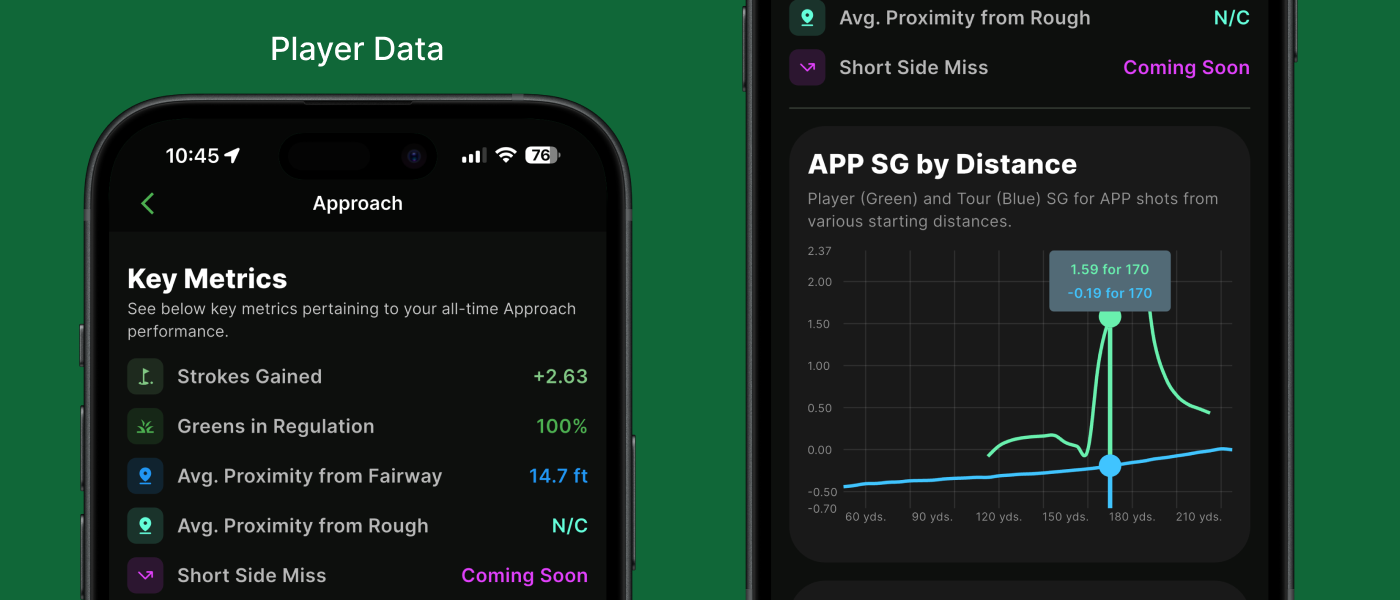
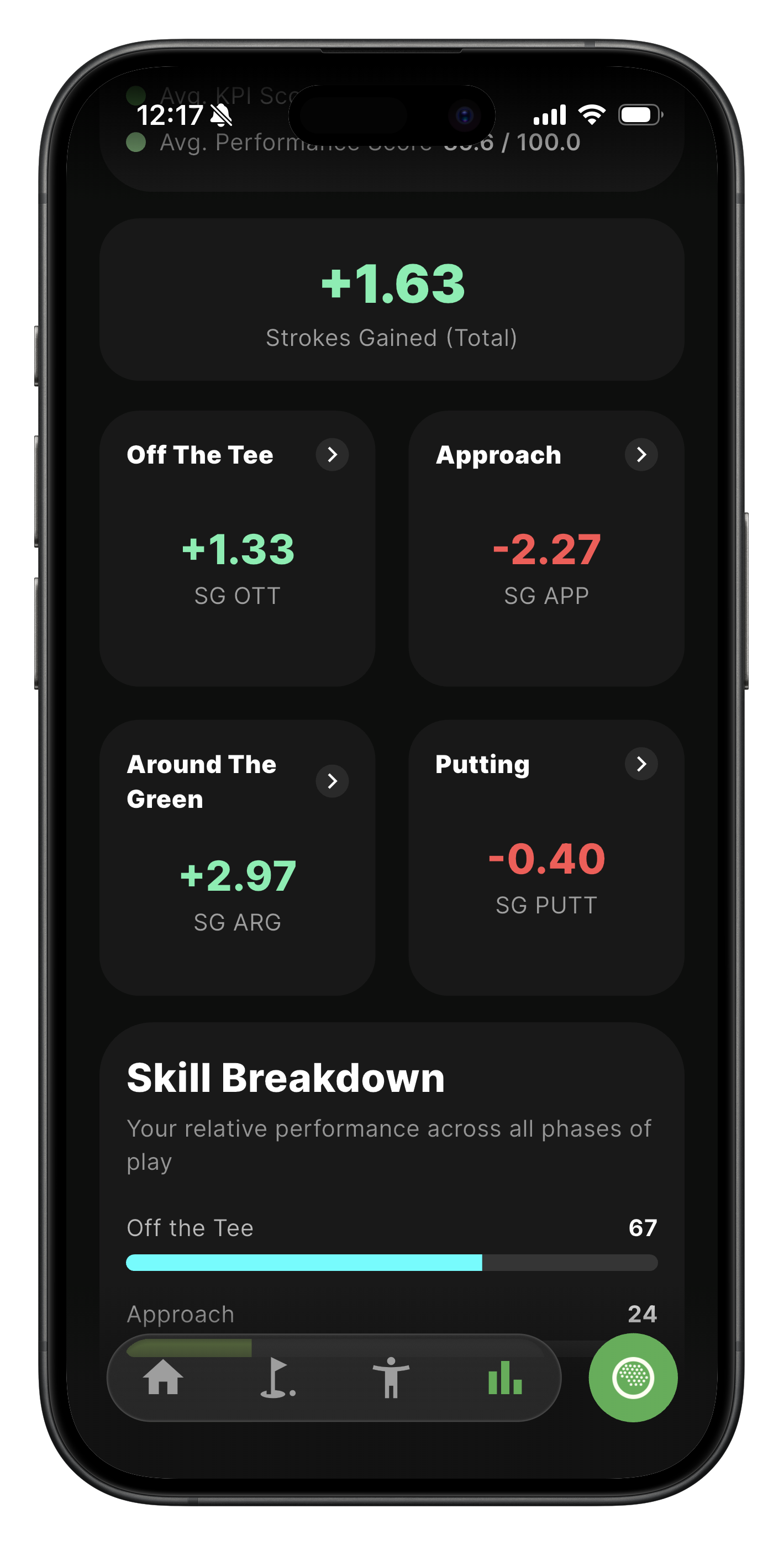
Strokes Gained (SG) is a modern golf statistic that measures how much better or worse a player performs on each shot compared to a defined benchmark, usually the PGA Tour average. Instead of simply counting fairways hit or putts per round, Strokes Gained shows the true value of every shot, whether it’s a drive, approach, chip, or putt.
The Go Birdie Go (GBG) Player Score is a 0–100 rating of your overall golf performance. It combines:
- Performance Score – how you perform in Strokes Gained vs Tour standard
- KPI Score – how well you do the key fundamentals of good golf (fairways, greens, putting, etc.)
The score is designed to work for all skill levels—from beginner to tour-level players—and to make it obvious where to focus to improve.
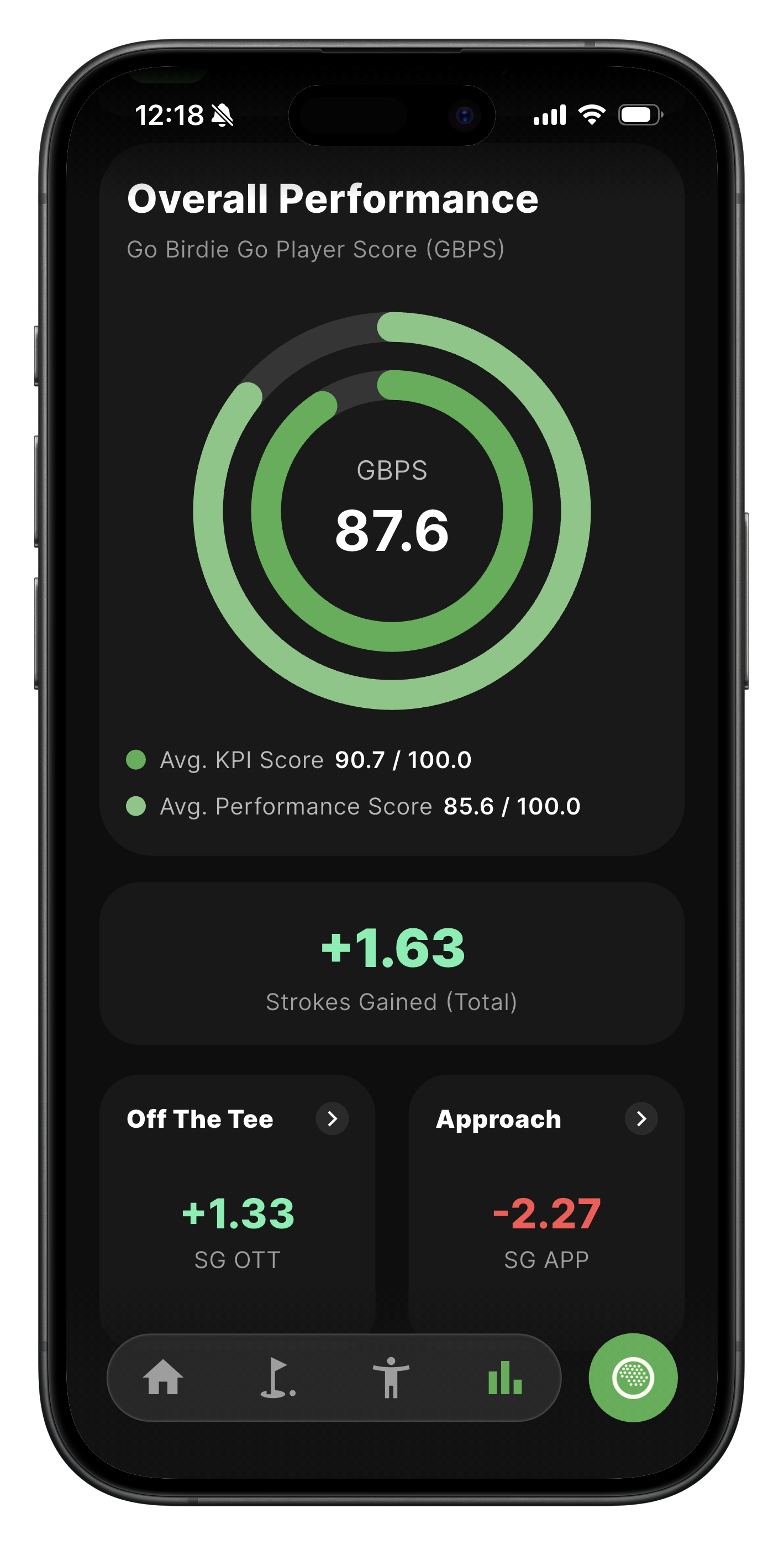
The GBG Player Score is a 0–100 rating that represents a golfer’s overall ability and performance.
It is designed to:
A higher GBG score means you are performing closer to elite and professional standards.
The GBG Player Score is built from two core scores, plus a few behind-the-scenes scaling adjustments to keep results fair and comparable.
The two core components are:
These scores measure different but equally important parts of good golf.
The Performance Score measures how well you perform in Strokes Gained.
It is based on:
Important benchmarks:
This score is harder to raise because it compares your results directly to Tour-level performance standards, not just other amateurs.
The KPI Score measures how well you execute the fundamentals of good golf.
It tracks:
KPI scoring rules:
This score highlights decision-making, consistency, and mistake avoidance.
Each score answers a different question:
Together, they show:
If your KPI Score is low
Focus on:
These are the fastest ways to lower scores for most players.
If your Performance Score is low
Focus on:
This score improves more slowly, but gains here indicate real competitive progress.
If your KPI Score is high but Performance Score is lower
You are doing the right things but may lack:
This is common in strong amateurs and developing pros.
The GBG Player Score combines all of this into one clear number.
Quick Summary
Skill Breakdown is the break off each category that goes into the Go Birdie Go Player Score. It shows the biggest room for improvement in a fast way while still gauging at how well a player is performing in other categories. It helps identify where the low hanging fruit is and what they should practice.
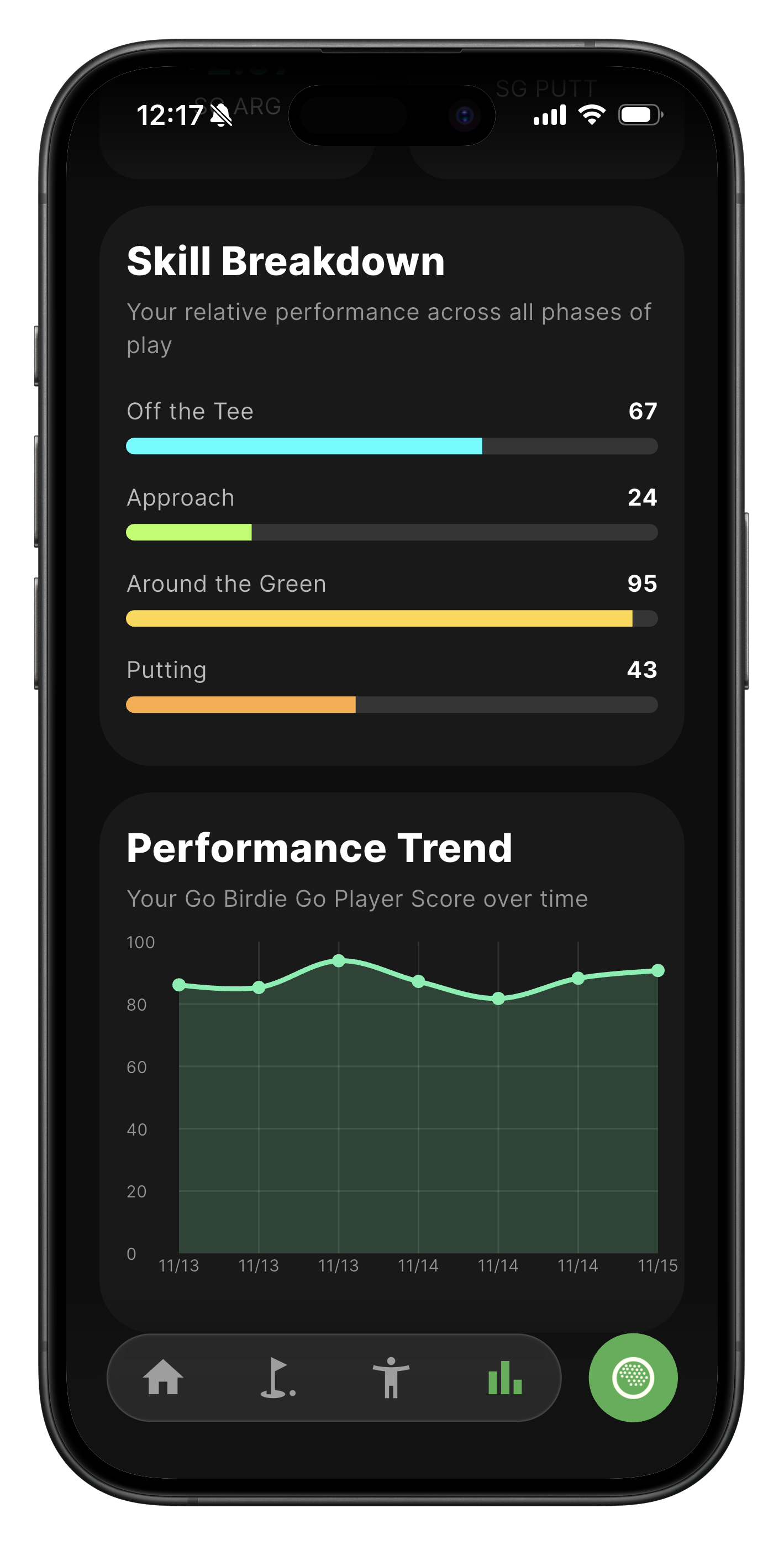
Performance trend is sum of stokes gained over all time history of performance. It’s mapped to a curve that has been calibrated to a PGA Tour Baseline. It is an objective curve based on what you would expect from a PGA Tour Player.
In the event your tee box is not there you can add one in by clicking add POI and selecting tee box on the location you wish to. You will see your live location which can help you determine where to add the tee box.The distance of the hole will be determined by where the tee box is started